Language Stats
General
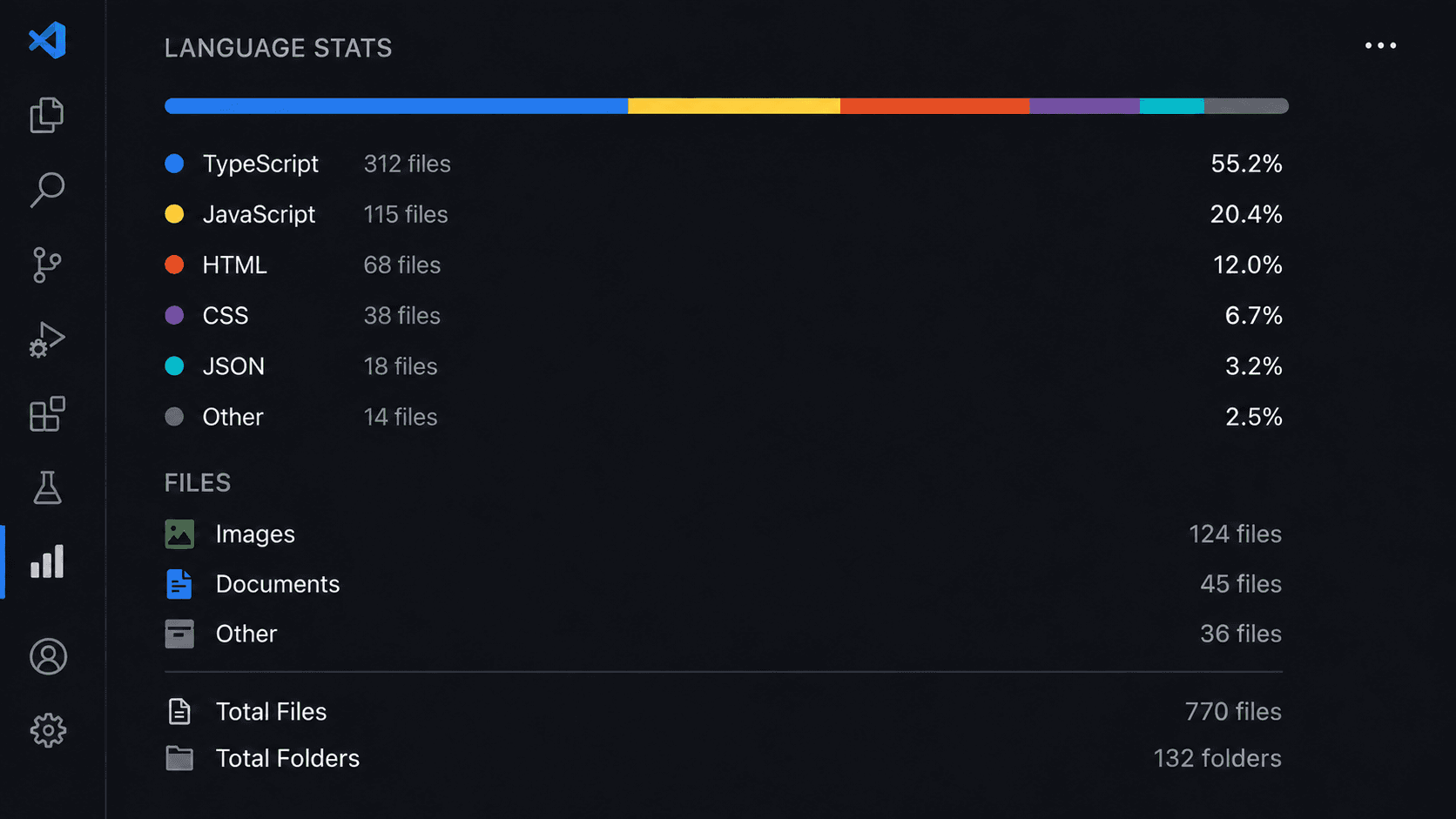
Language Stats 0.0.4 is now available with a cleaner analysis foundation and a more structured view of your workspace — entirely inside VS Code.
Explore Language Stats on GitHub ↗
What is Language Stats?
Language Stats is a Visual Studio Code extension built to give you an instant, visual understanding of what your project is actually made with.
Its dedicated panel in the Activity Bar brings your workspace statistics into one place, covering languages, file types, files, folders, and other workspace content without making you leave the editor.
What's new in 0.0.4?
Improved analysis structure
The analysis results are now organised in a cleaner and more consistent structure, creating a stronger foundation for the panel and future improvements.
The workspace analysis brings together:
Language statistics
File-type information
File and folder totals
Non-code assets
Workspace-level results
More meaningful language statistics
Language Stats calculates language percentages using file size rather than simply counting files.
This gives you a clearer representation of the actual composition of your project.
A complete workspace view
Images, videos, audio, documents, fonts, archives, compiled files, and other non-code content are tracked separately, keeping them from distorting the language breakdown while still accounting for the workspace as a whole.
Live workspace updates
The panel is designed to stay current as your workspace changes. When files are added, modified, or removed, the statistics can update automatically, with a manual refresh action also available from the panel.
Built for modern projects
Language Stats supports a broad range of programming, scripting, markup, data, and configuration formats, including JavaScript, TypeScript, Python, Java, Kotlin, C, C++, C#, Go, Rust, PHP, Ruby, Swift, Dart, HTML, CSS, SQL, JSON, YAML, XML, Markdown, and many more.
Unknown file types are still counted under Other, so workspace content does not simply disappear from the analysis.
Privacy stays local
Language Stats performs its analysis locally using file names and file sizes within your open workspace. It does not need to read your source code, keeping the analysis inside your editor.
Read the project documentation ↗
Built around one simple idea
Open your workspace. See what it's actually built with.
Language Stats keeps that overview clear, visual, and available exactly where you work.
Find Language Stats in VS Code
To get the extension, open the Extensions view in VS Code and search for the exact name: Language Stats
That is the name to search for in the VS Code Extensions Marketplace.